
1. Apa Itu ntfy.sh?
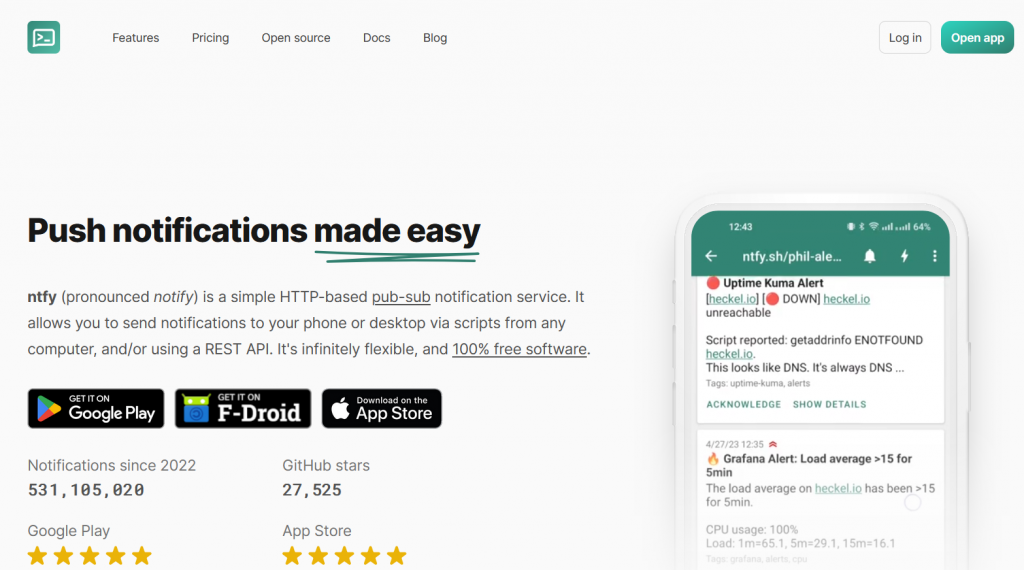
ntfy.sh (dibaca “notifai”) adalah layanan push notification gratis yang memungkinkan Anda mengirim notifikasi dari:
- server
- cron job
- aplikasi
- script shell
- monitoring system
…ke:
- browser
- HP (Android/iOS)
- desktop
Tanpa registrasi dan tanpa API key.
Formatnya sangat sederhana:
curl -d "Pesan" https://ntfy.sh/nama-topic
Dari sudut pandang DevOps dan sysadmin, ntfy adalah solusi terbaik untuk:
✔ Notifikasi server down
✔ Notifikasi hasil backup
✔ Notifikasi gagal login
✔ Notifikasi disk penuh
✔ Notifikasi hasil cron job
✔ Notifikasi Uptime Kuma
✔ Notifikasi script custom (bash / python)
2. Cara Kerja ntfy.sh
ntfy bekerja seperti pub/sub (publish-subscribe):
- Anda membuat topic (bebas nama apa pun)
- Anda “subscribe” topic tersebut
- Server atau script Anda mengirim notifikasi ke topic
- Device yang subscribe menerima push notification
Contoh:
https://ntfy.sh/server-01-alert
Topic ini:
- bisa private
- bisa public
- bisa diberi password
3. Kelebihan & Kekurangan ntfy.sh
Kelebihan
✔ Gratis & open-source
✔ Tidak perlu login
✔ Notifikasi instan
✔ Bisa detect server offline
✔ Support HTTP POST, curl, wget
✔ Ada aplikasi Android / iOS
✔ Bisa self-hosted
✔ Lebih cepat dari email
✔ Sangat mudah diintegrasikan
Kekurangan
✘ Topic public bisa diakses siapa saja jika tidak diamankan
✘ Bukan layanan enterprise
✘ Notifikasi iOS butuh akun Pro (untuk push real-time)
4. Cara Menggunakan ntfy.sh (Dasar)
Buat topic bebas:
https://ntfy.sh/nama-topic
Kirim notifikasi:
curl -d "Server sudah selesai backup" https://ntfy.sh/nama-topic
Buka di browser:
https://ntfy.sh/nama-topic
Maka Anda akan melihat pesan yang sama muncul.
5. Cara Kirim Notifikasi Menggunakan curl, wget, HTTP POST
A. Menggunakan curl
curl -d "Backup selesai jam 02:00" https://ntfy.sh/backup-server
B. Menggunakan HTTP POST (PowerShell / Windows)
Invoke-WebRequest -Uri "https://ntfy.sh/server-notif" -Method POST -Body "Tes dari Windows"
C. Menggunakan wget
wget --post-data="Proses sukses" https://ntfy.sh/server-01
6. Kirim Notifikasi dengan Title, Priority, Tags, Icon
A. Mengirim Title
curl -H "Title: Backup Server" \
     -d "Backup selesai 100%" \
     https://ntfy.sh/backup-topic
B. Priority
- 1 = minimal
- 5 = urgent
curl -H "Priority: 5" -d "Disk hampir penuh!" https://ntfy.sh/disk-alert
C. Emoji Tags
curl -H "Tags: warning,computer" \
     -d "CPU 95% !!" \
     https://ntfy.sh/alert-cpu
D. Klik URL
curl -H "Click: https://panelserver.com" \
     -d "Klik untuk buka panel" \
     https://ntfy.sh/panel-alert
7. Integrasi ntfy dengan Cron Job (Linux)
Kirim pesan setelah cron berjalan
Edit crontab:
crontab -e
Contoh:
0 2 * * * /root/backup.sh && curl -d "Backup sukses jam $(date)" https://ntfy.sh/backup-server
Jika backup gagal:
0 2 * * * /root/backup.sh || curl -d "Backup GAGAL!" https://ntfy.sh/backup-server
8. Integrasi ntfy dengan Uptime Kuma
Pada Notification Providers pilih:
ntfy.sh
Isi:
- Server URL →
https://ntfy.sh - Topic → nama-topic
- Title → bebas
- Priority → 5 untuk alert penting
Klik Test Notification
Jika muncul di topic, berarti berhasil.
9. Integrasi dengan WordPress
Anda bisa pakai ntfy untuk:
- Notifikasi auto backup WordPress
- Notifikasi update WordPress
- Notifikasi perubahan file
- Notifikasi serangan login brute-force
Contoh script monitoring wp-login.php:
tail -f /var/log/apache2/access.log | grep "wp-login" | while read line; do
    curl -d "Percobaan login: $line" https://ntfy.sh/wp-login-alert
done
10. Cara Install ntfy Self-Hosted di VPS
Ada 3 cara:
- Docker
- Systemd
- Portable binary
A. Install ntfy via Docker (Paling Mudah)
docker run -d \
  --name ntfy \
  -p 80:80 \
  -v /var/cache/ntfy:/var/cache/ntfy \
  -v /etc/ntfy:/etc/ntfy \
  binwiederhier/ntfy serve
Akses:
http://IP-VPS
B. Install via Binary
curl -s https://api.ntfy.sh/install.sh | bash
Lalu:
ntfy serve
11. Setup Reverse Proxy (Nginx & Caddy)
A. Nginx
server {
    server_name notif.domain.com;

    location / {
        proxy_pass http://localhost:80;
        proxy_set_header Host $host;
        proxy_set_header X-Forwarded-For $proxy_add_x_forwarded_for;
    }
}
B. Caddy
notif.domain.com {
    reverse_proxy localhost:80
}
12. Aplikasi ntfy (Web, Android, iOS)
A. Web
https://ntfy.sh/app
B. Android
Ada di Play Store. Bisa dapat:
- real-time push
- lock screen
- action menu
C. iOS
Hanya real-time untuk akun Pro (keterbatasan Apple Push).
13. Kirim File / Attachment
Upload file:
curl -F "file=@/root/error.log" https://ntfy.sh/log-alert
14. Membuat Topic Private
Tanpa password, siapa pun bisa access.
Buat password:
Di server self-hosted, buat config:
auth:
  basic:
    admin: $PASS
15. Security Best Practices
✔ Gunakan private topic
✔ Buat random topic name panjang
✔ Jangan gunakan ntfy.sh public untuk data sensitif
✔ Gunakan HTTPS
✔ Jika self-hosted, aktifkan Basic Auth
16. Error yang Sering Terjadi dan Solusinya
1. Notifikasi tidak muncul
Solusi:
- Salah nama topic
- Internet device mati
- Aplikasi Android “battery optimization ON”
2. “Message too large”
ntfy membatasi ukuran pesan default.
Gunakan attachment file.
3. Rate-limit
Terlalu banyak request spam dalam 1 menit.
17. Alternatif ntfy.sh
Jika butuh alternatif:
| Tools | Gratis | Self-host | Push Mobile | Kelebihan |
|---|---|---|---|---|
| Gotify | Ya | Ya | Android | Ringan |
| Pushover | Tidak | Tidak | Android/iOS | Stabil |
| Telegram Bot | Ya | Tidak | Android/iOS | Powerful |
| Discord Webhook | Ya | Tidak | Desktop/Mobile | Mudah |
Namun ntfy tetap yang paling simple.
18. FAQ
Apa itu topic di ntfy?
Seperti channel untuk menerima pesan.
Bisakah ntfy digunakan untuk Uptime Kuma?
Bisa, bahkan sangat cocok.
Apakah ntfy gratis?
Ya untuk ntfy.sh.
iOS push real-time butuh akun Pro.
Bisakah digunakan tanpa install aplikasi?
Bisa, lewat browser.
Apakah ada batasan?
Ada rate limit wajar untuk mencegah spam.
19. Kesimpulan
ntfy.sh adalah solusi notifikasi terbaik untuk pengguna:
✔ VPS
✔ Sysadmin
✔ WordPress admin
✔ DevOps
✔ Penulis script otomatis
✔ Server monitoring
Dengan setup sangat mudah, tanpa API key, dan bisa self-hosted, ntfy menjadi standar emas untuk notifikasi server modern. Untuk integrasi ke cron, Docker, WordPress, atau Uptime Kuma, ntfy sangat powerful.