1️⃣ Apa Itu Coolify?
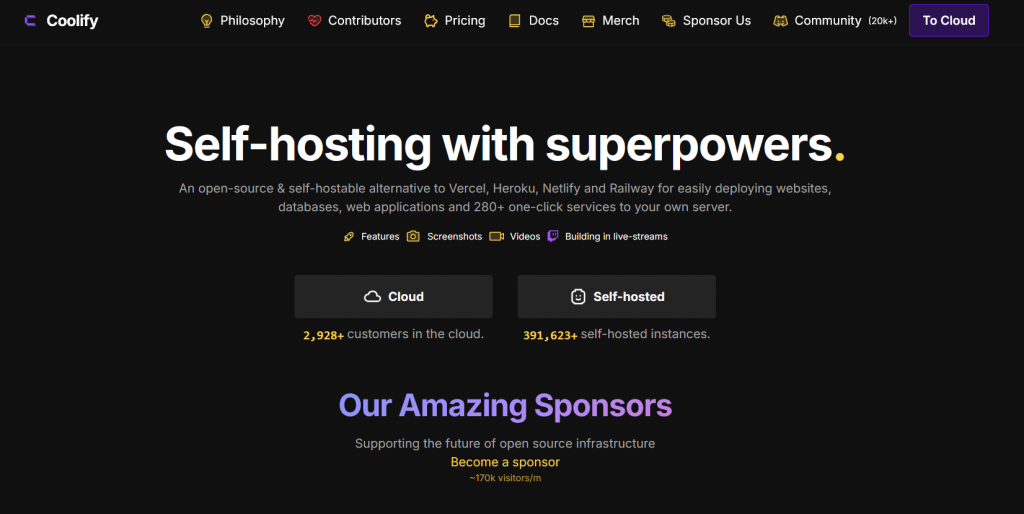
Coolify adalah platform self-hosted PaaS (Platform as a Service) open-source yang memungkinkan kamu deploy aplikasi, database, dan service lain ke server sendiri dengan cara yang simpel — mirip seperti:
- Heroku
- Vercel
- Railway
- Render
Bedanya:
Kamu kontrol penuh servernya sendiri (VPS, dedicated, atau on-premise).
Coolify berjalan di atas Docker, jadi semua aplikasi dijalankan dalam container.
2️⃣ Kenapa Banyak DevOps Suka Coolify?
✅ 1. Open Source
Tidak ada vendor lock-in.
✅ 2. Self-Hosted
Data & infrastruktur 100% milik kamu.
✅ 3. UI Modern
Dashboard berbasis web, clean & mudah dipakai.
✅ 4. Support Banyak Stack
- Node.js
- Laravel / PHP
- Python
- Go
- Rust
- Static site
- Dockerfile custom
✅ 5. Auto SSL (Let’s Encrypt)
Langsung dapat HTTPS otomatis.
✅ 6. Auto Deploy dari Git
Integrasi:
- GitHub
- GitLab
- Bitbucket
- Gitea
Push ke repo → otomatis deploy.
3️⃣ Arsitektur Coolify
Secara sederhana:
User → Coolify Dashboard → Docker Engine → Container Apps
Komponen utama:
- Coolify server
- Docker
- Reverse Proxy (Traefik)
- Database internal
- Worker service
4️⃣ Fitur Utama Coolify
🔹 A. Deploy Aplikasi
- Dari Git repository
- Dari Docker image
- Dari Dockerfile
- Manual build
🔹 B. Database Siap Pakai
1 klik install:
- PostgreSQL
- MySQL
- MariaDB
- Redis
- MongoDB
🔹 C. Environment Variable Manager
Set ENV langsung dari dashboard.
🔹 D. Preview Deploy (Staging)
Branch berbeda → deploy berbeda.
🔹 E. Multi-Server Support
Bisa connect ke:
- Banyak VPS
- Cluster
- Node terpisah
🔹 F. Resource Monitoring
- CPU usage
- RAM usage
- Logs realtime
5️⃣ Kelebihan vs Platform Cloud Lain
| Feature | Coolify | Heroku | Vercel |
|---|---|---|---|
| Self-hosted | ✅ | ❌ | ❌ |
| Open source | ✅ | ❌ | ❌ |
| Control penuh server | ✅ | ❌ | ❌ |
| Auto SSL | ✅ | ✅ | ✅ |
| Docker support | ✅ | Terbatas | ❌ |
6️⃣ Kapan Harus Pakai Coolify?
Cocok kalau kamu:
- Punya VPS sendiri
- Mau hemat biaya SaaS bulanan
- Butuh kontrol penuh environment
- Ingin bikin mini PaaS pribadi
- DevOps / Sysadmin / Backend engineer
7️⃣ Kebutuhan Minimum Server
Rekomendasi produksi kecil:
- 2 vCPU
- 4GB RAM
- 40GB Storage
- OS: Ubuntu 22.04 LTS
- Docker installed
8️⃣ Cara Kerja Deploy di Coolify
- Connect GitHub repo
- Pilih branch
- Set build method
- Tambahkan ENV
- Klik Deploy
- Coolify build container
- Traefik generate SSL
- App live 🚀
9️⃣ Keamanan Coolify
- Reverse proxy dengan HTTPS
- Isolasi container
- Role-based access control
- Secret management
- Firewall bisa dikombinasikan dengan:
- UFW
- Fail2Ban
- WAF (misal SafeLine)
Kalau kamu pakai SafeLine sebelumnya, Coolify bisa diletakkan di belakang WAF juga 👍
🔟 Kekurangan Coolify
Jujur aja:
- Perlu basic Docker knowledge
- Kalau server mati → semua app mati
- Perlu backup manual (tidak otomatis seperti SaaS besar)
- Tidak cocok untuk yang tidak paham Linux
1️⃣1️⃣ Use Case Nyata
🧑💻 Developer Solo
Hosting:
- Backend API
- Frontend React
- PostgreSQL
di satu VPS.
🏢 Startup Kecil
Deploy:
- Production
- Staging
- Redis
- Worker queue
Semua di dashboard yang sama.
🏠 Homelab
Self-host:
- Nextcloud
- n8n
- Gitea
- Ghost
- Uptime Kuma
1️⃣2️⃣ Coolify vs Dokku
| Coolify | Dokku | |
|---|---|---|
| UI Web | ✅ | ❌ (CLI-based) |
| Beginner Friendly | ✅ | ❌ |
| Multi Server | ✅ | Terbatas |
| Modern Stack | ✅ | Cukup |
1️⃣3️⃣ Versi Terbaru & Roadmap
Coolify aktif dikembangkan dengan:
- UI improvement
- Cluster support
- Better monitoring
- Production stability update
Kesimpulan
Coolify adalah solusi PaaS self-hosted modern, ringan, dan powerful.
Cocok untuk:
- DevOps
- Backend developer
- Pengguna VPS
- Yang ingin lepas dari SaaS mahal
Kalau kamu sudah biasa:
- Docker
- Linux server
- Deploy via Git
Coolify akan terasa sangat powerful 🚀
Setup production + reverse proxy + firewall
Target Setup
Server:
- Ubuntu 22.04 LTS
- 2 vCPU
- 4GB RAM
- Public IP
- Domain sudah pointing ke IP
Hasil akhir:
- Coolify running production
- HTTPS aktif
- Firewall secure
- Reverse proxy rapi
- Siap deploy multi app
🧱 1️⃣ Persiapan Server (Hardening Dasar)
Update System
sudo apt update && sudo apt upgrade -y
Install Dependencies
sudo apt install curl wget git ufw fail2ban -y
🔥 2️⃣ Setup Firewall (WAJIB Production)
Aktifkan UFW:
sudo ufw default deny incoming
sudo ufw default allow outgoing
Allow port penting:
sudo ufw allow 22/tcp
sudo ufw allow 80/tcp
sudo ufw allow 443/tcp
Aktifkan firewall:
sudo ufw enable
sudo ufw status
✅ Sekarang server hanya buka:
- SSH
- HTTP
- HTTPS
🛡️ 3️⃣ Hardening SSH (Optional Tapi Disarankan)
Edit config:
sudo nano /etc/ssh/sshd_config
Ubah:
PermitRootLogin no
PasswordAuthentication no
Restart SSH:
sudo systemctl restart ssh
🐳 4️⃣ Install Coolify (Production Mode)
Coolify install otomatis via script resmi:
curl -fsSL https://cdn.coollabs.io/coolify/install.sh | bash
Proses ini akan:
- Install Docker
- Install Docker Compose
- Setup Coolify
- Setup internal Traefik
- Setup SSL support
Setelah selesai:
Akses:
http://IP-SERVER:8000
Lalu buat akun admin.
🌐 5️⃣ Setup Domain & Reverse Proxy (HTTPS)
Coolify pakai Traefik internal sebagai reverse proxy.
Langkah:
1. Tambahkan Domain di Coolify
- Masuk ke project
- Deploy aplikasi
- Isi domain:
app.domainkamu.com
2. Aktifkan:
✅ Automatic SSL (Let’s Encrypt)
Coolify akan:
- Generate SSL
- Setup reverse proxy otomatis
- Redirect HTTP → HTTPS
🏗️ 6️⃣ Struktur Reverse Proxy Production
Flow normal:
Internet
   ↓
Firewall (UFW)
   ↓
Traefik (Coolify)
   ↓
Container App
Tidak perlu install Nginx manual lagi karena:
Traefik sudah handle reverse proxy + SSL
⚙️ 7️⃣ Optimasi Production
Tambah Swap (Kalau RAM 4GB)
sudo fallocate -l 2G /swapfile
sudo chmod 600 /swapfile
sudo mkswap /swapfile
sudo swapon /swapfile
Tambahkan ke fstab:
echo '/swapfile none swap sw 0 0' | sudo tee -a /etc/fstab
Aktifkan Fail2Ban
sudo systemctl enable fail2ban
sudo systemctl start fail2ban
Cek status:
sudo fail2ban-client status
🛡️ 8️⃣ (OPSIONAL PRO LEVEL) Tambah WAF SafeLine
Karena kamu sebelumnya install SafeLine, kamu bisa buat arsitektur:
Internet
   ↓
SafeLine WAF
   ↓
Coolify (Traefik)
   ↓
Container App
Caranya:
- Jalankan SafeLine di server terpisah ATAU
- Bind SafeLine di port 80/443
- Forward ke Traefik internal Coolify (misal 8080)
Ini cocok untuk:
- Public SaaS
- API production
- High traffic app
📊 9️⃣ Monitoring Production
Install tool tambahan:
docker stats
Atau deploy via Coolify:
- Uptime Kuma
- Prometheus
- Grafana
🔐 1️⃣0️⃣ Best Practice Production
✅ Jangan expose port container langsung
✅ Semua lewat reverse proxy
✅ Backup database rutin
✅ Update server bulanan
✅ Gunakan SSH key only
✅ Gunakan domain wildcard jika banyak subdomain
🚀 Final Checklist Production Ready
- Firewall aktif
- SSH secure
- SSL aktif
- Reverse proxy jalan
- Swap tersedia
- Fail2ban aktif
- Domain resolve benar
🎯 Kesimpulan
Coolify production setup sebenarnya cukup clean karena:
- Sudah include reverse proxy
- Sudah include SSL automation
- Docker-based isolation
- Mudah scale
Kalau kamu biasa deploy via AWS Console seperti yang pernah kamu bahas, Coolify ini ibarat:
Punya mini Heroku di VPS sendiri.